Its Native now, up to before yesterday with some little steps to get it running now native support.
@VoodooDE and other have already stepped into the Verse via VR.
I did try it with my Pimax (and Quest). But have not have luck first try since I am getting a
[OpenXR] xrCreateInstance returned unknown error code -32.
Search for OpenXR in your Game.log file in “XYZ:\Roberts Space Industries\StarCitizen\PTU” folder. If its ok there then you should see an option in the FOIP and Co Settings and just enabled VR there (all explaind in Spektrum post above.)
EDIT: Cleaning up (see below OpenXR Tools) allowed me to go into the verse with the quest 3. Quite Impressive! Hope to get the PimaxXR running!
So what did I manage (or rather not): After Cleaning up OpenXR Tools & Co. and reinstalling Pimax Play (in hope there stuff is registerd clean) I got rid of a:
[OpenXR] xrCreateInstance returned unknown error code -32.
Starting more or less clean I can now have two paths of failure:
Usind the Launcher, start the Game - no Options apear in the options menu since no HMD is found (see the Game.log for “OpenXR” as mentioned in the original post in spektrum):
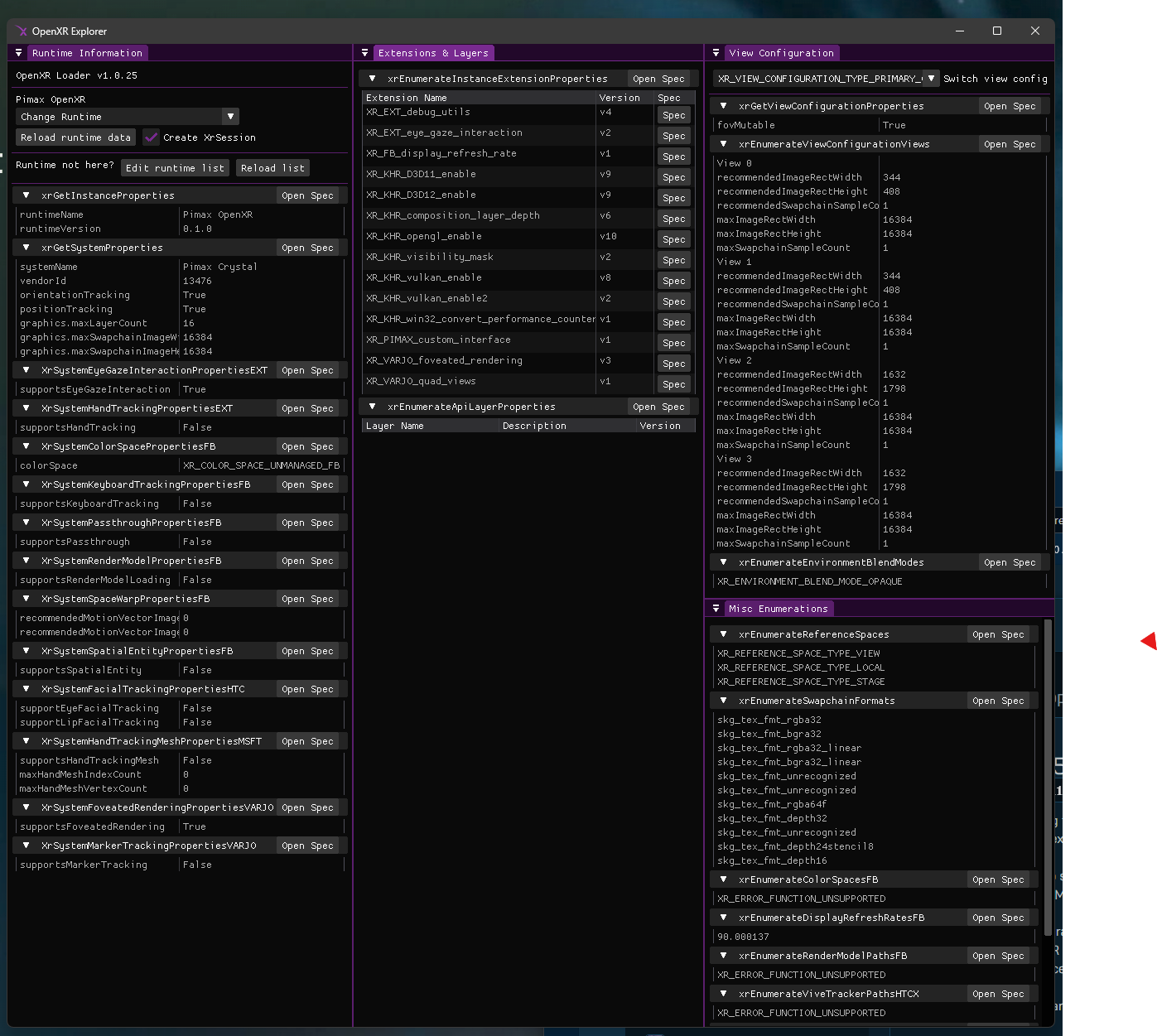
[OpenXR] No headset found. Did you set the correct openxr runtime and the headset is properly connected? For Meta quest users enable Link in the settings first (current runtime: Pimax OpenXR)
I added the StarCitizen.exe to Pimax Play which now allows me to get a
[OpenXR] Using Pimax Crystal (Runtime: Pimax OpenXR - 0.1.0)
but then SC doesnt get the login context from the launcher and I get a Code 19000 login failed.
pretty much everything I use is working fine…elite, msfs2024 dcs nms (steamvr for this one) and I too get no hmd in the game.log file … and nothing else…very frustrating… given that I’ve waited a bazillion years for vr in SC in a Crystal OG
Reports from other Pimax Crystal Light and Super users is that the SteamVR runtime has to be used, and to reduce the HMD resolution down from the ‘Auto‘ setting as there is a bug where it count the total headset resolution as the ‘per eye’ resolution. The compromise being the performance hit of Steam VR runtime.
@PimaxQuorra is this something that could be or will be an optimisation in Pimax Play 2.0 or just in general option for the Runtime Handling?
Could be interesting to get the teams together - Pimax and @Silvan-CIG from SC - see the Spektrum post
Thanks for posting! I also read that here and there - have not had much time this week end to further investigate, but the runtime handling has been a thing in general - a way to analyse and set that would be great (out of the pimax box).