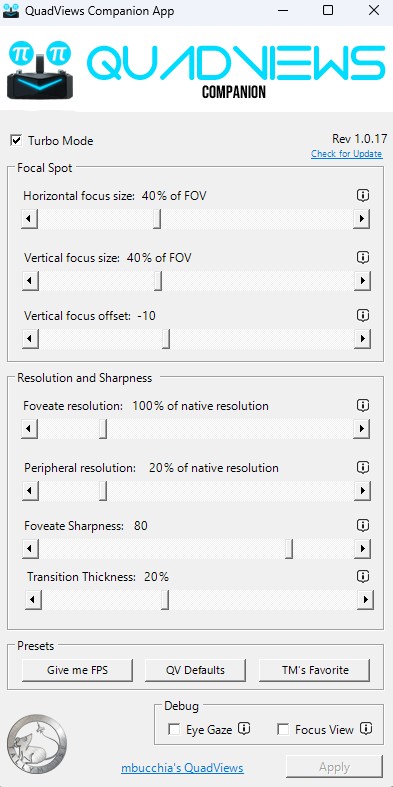
has an ‘i’ which displays the purpose of each slider. Moreover, the slider ranges display a clear % of the level of resolution to be applied. Additionally, ‘Transition Thickness’ is what it says, meaning one can vary the distinction between the foveated and peripheral zones. The PP implementation also produces some kind of narrow vertical banding in the righthand side of the image and other artifacts. Starting with the clear ‘box’ in the Tallymouse implementation one can adjust the transtion from the distinct outline of the ‘box’ to smooth the image into the peripheral lower resolution.
I Have issues with V2.0.2, it’s now the highest version on site to get(should not be available too).
PP is on even though it is OFF in Piclient 2.0.2 and my headsets (both my 5K super and Plus on my wife’s and i pcs) have this issue where PP will NOT turn off AT ALL after the next time of using the software after install.
The button for it does nothing, And toggling it only works first install(from testing)
After that it does not matter what you do, it forces it on(even visual/physically its off.
i noticed prier that my latency in steamvr use to be 1.0ms in V1.43.9(was 0.4 when i first wiped pc).
it’s now 1.4-1.5ms avg with this version of piclient.
Btw, going back to 1.44 and prier fixes these issues for P2 headsets.
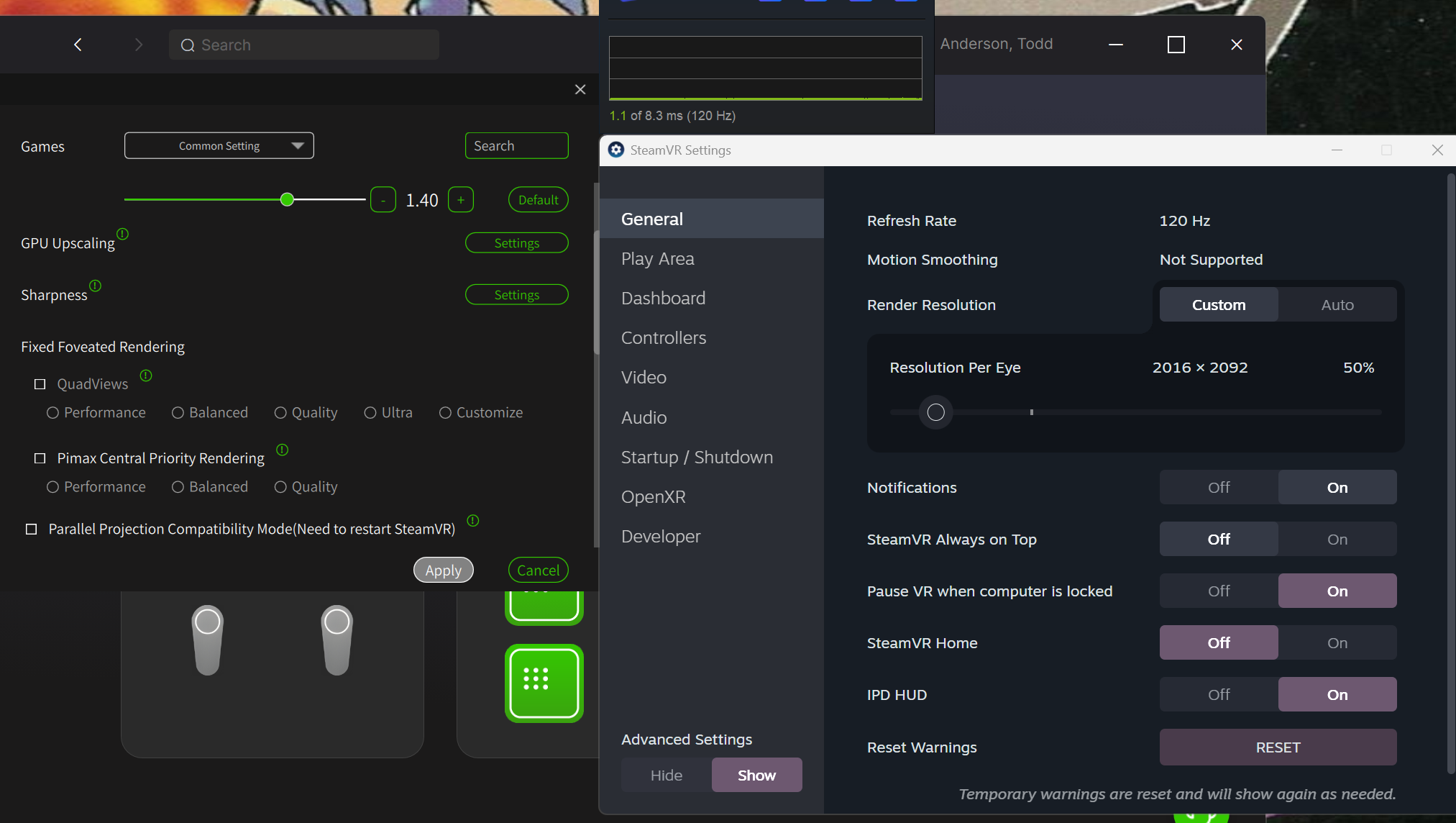
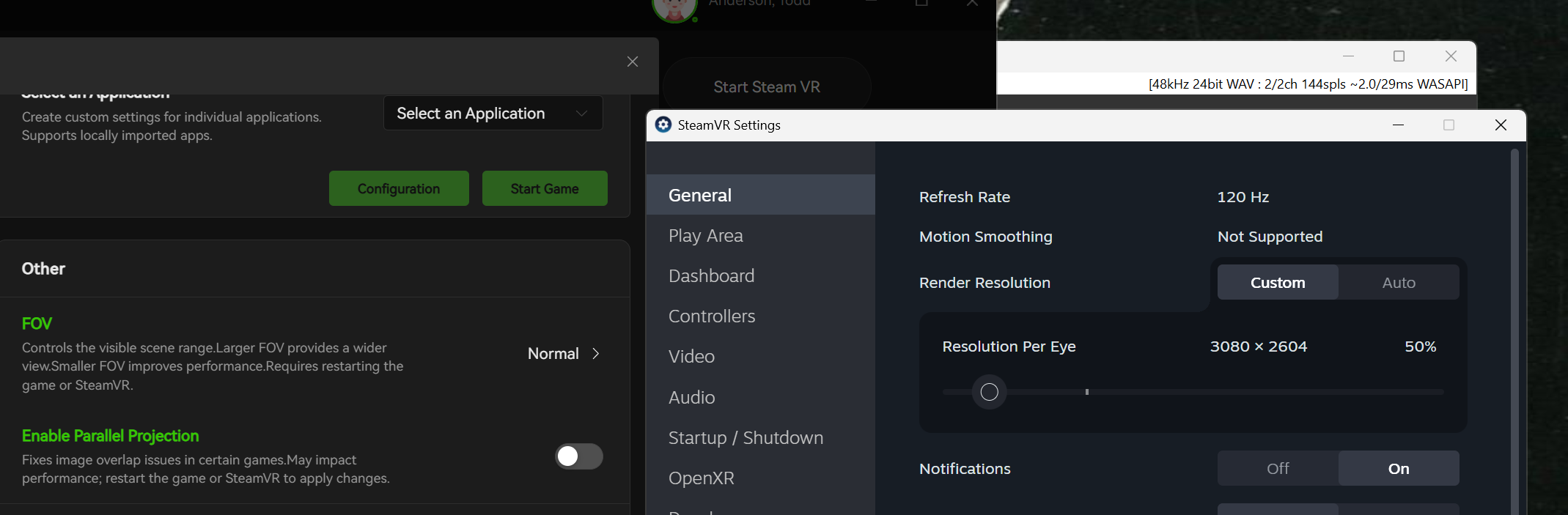
Also, some reason the Res is increased in PP mode by 400 more than it should be.
Should be 2600vs2600 in PP mode like on my other PC, yet as you see its 3000x2600…
normally without PP its 2000x2100
Edit: wanted to include 1.43.9 picture for res and whatnot(seems its the first pic now)
suggestion @PimaxQuorra since for some reason GPU upscaling, sharpness and FOV normal / narrow were moved to under the “advanced settings” toggle (in my opinion they shouldnt be)
these settings cannot be easily adjusted from the App Library game settings as the “advanced options” just simply arent made visible, which makes absolutely 0 sense to me. so advanced options at the very least should be made visible in the app library game settings adjustment menu
And to be able to adjust these specific settings on a per game level for quick launches, we have to device settings, image/performance, scroll half way down a tediously long list. select the game, then and only then can we choose GPU upscaling and sharpness options (FOV narrow option from per game just seemed to disappear from the closed beta of 2.0? idk what that is about, but it should 100% be introduced back
I tried the 2.02. For use of multiple Headsets ( Super LH and DA Slam) , I find that many settings are not saved for individual headsets like Eye tracking etc.
Apart from that there seems to be some controller issues in some apps like VAM.
Also I find the color profile for DA is worse than 1.44.1
Also 2.02 does not address switching between SLam and LH for Super.
No problems for both headsets in 1.44.1 which I had to revert to.
Unfortunately this means I cannot use the Sboys3 latest drivers.
I believe the issue is that the settings aren’t currently saved on a per-headset basis. That’s why we’re considering adding a Profiles tab, allowing users to configure and save different settings. This way, when you switch between headsets, you can simply select the appropriate profile instead of reconfiguring everything.
We haven’t made any changes to the Dream Air’s color profile. Is the image overly saturated, overly bright, or are the colors simply too intense?
Also, do you have the Lighthouse faceplate connected via the USB-C port?
The color profile issue has been there even in earlier versions when multiple Headsets are used.
The colors of the DA seemed a bit washed out. Only when I reinstalled 1.44.1 did I notice how much the colors felt better.
I haven’t tried EVO because it will use 2.02 and will become hell to switch headsets without profiles.
The Super 50 ppd LH plate is connected via USB. In the OG Crystal there was an option to shift between LH and Slam in the client.Now I have to manually disconnect the USB cable to do so.
Is there still plans to have options for Distortion profiles?
As it would be interesting to apply the Sboys3 distortion profile a crops on the pimax runtime to be able to do a proper comparison of driver performances. As the Sboys3 driver uses a simpler distortion profile and cropping; that will if course equal a performance boost due to less GPU overhead.
Hi Heliosurge i am back i have the dream air slam i was just looking for distortion profiles after watching Martin’s video about them and how he could reach 120 FOV, the sboy3 driver has the ability to import them, can i download them somewhere?
Feedback 1 :
Advanced Settings mode ON
In App library:
clic on the three dots menu of a game, select Game Settings
only the options of the Standard mode apprears (no GPU Upscaling or others).
Feedback 2:
In Dream Air settings / Image/Performance
Custom application area
Select a game then Configuration
All options are displayed, but changing GPU quality parameter, or Sharpness, is not always reflected. Sometimes, closing the popup window can help but not always.
An switch to choose between the specific parameters of a game, or the genereic parameters, is needed.
Currently it is impossible to know if some specific parameters are defined for a game, we are never sure if the generic parameters are applied, or a specific one.
Feedback 3:
In the App Library, some games appear twice (Le Mans Ultimate and Hubris in my case).
But If I pin the game, then only one icon remains pinned on the top.
At the moment, GPU upscaling and sharpening are applied globally, so there may be issues when trying to configure them on a per-game basis.
We’re currently working on adding a Profiles feature that will let you configure your settings and save them as individual profiles. You’ll then be able to switch between profiles for different games, making it much easier to use game-specific settings.
In Pimax Play when using lighthouse you can pair controllers and trackers.
However in recent updates I don’t know when exactly however the pairing has seemed to stop working.
For my specific instance I was only able to pair 2 devices to my Crystal Super LightHouse Faceplate dongles and no longer be able to assign/pair any more devices as pimax play fails to recognise other SteamVR dongles connected to the system.
Only current work around I’ve found is starting SteamVR with PimaxPlay completely closed so that SteamVR gets launched with no HMD detected. From there we can use the SteamVR pairing to pair the extra dongles and LH devices.
(This SteamVR pairing method completely fails and does NOT work if pimax play is open and the HMD is detected. It stays on an infinite loading screen of trying to identify hardware)
Both of these behaviours defiantly weren’t present (on my experience) over a year ago back when I was on my OG.
Let me report this to our dev team. A new build should be coming out soon, so please give it a try once it’s available and let us know if the issue persists.
 i was just looking for distortion profiles after watching Martin’s video about them and how he could reach 120 FOV, the sboy3 driver has the ability to import them, can i download them somewhere?