You’re right, when I look at Resmon it is even less than I showed for me… Regardless, the fact that Pimax client+overlay was holding back or not releasing the request of over 7GB for you is NOT healthy. Whatever the problem is in your system needs to be looked at because that is NOT normal conditions for most people and it’s obvious that either the Pimax install is corrupted or you have other issues in your system.
1 Like
I fully uninstalled Pimax Play 2.0.0 to try going through the process again from scratch.
I then re-installed 1.43.9.
Now, when I opt in for the Public Test Channel, I don’t get offered to update to Pimax Play 2.0 anymore… It just says I have the latest version…

“if we go this route and not taking care of fixing memory leaks - then 128GB will be next standard…“
Yes soon enough 128gb will be the next standard, but not because of memory leaks. Thats just how tech is. Like i said, I’ve got games that can pull 30+gb by themselves. 64gb is the standard for a high end pc build and high end gaming.
I’m not arguing the fact that a memory leak might be occurring for you, My Pimax software doesn’t seem to be using more than 1gb total and its been idling there for a good few hours. Just that 32gb is NOT a lot of system memory. Its really the bare minimum these days.
~2012–2015: 8GB was the high-end standard. 16GB was “overkill.”
~2016–2019: 16GB became the standard. 32GB was “overkill.”
~2020–2023: 32GB became the standard for high-end builds. 64GB was “overkill.”
~2024–now: 64GB is the high-end standard, soon 128 will be. You’re already seeing normal games breach 20–25GB alone then add Windows, background processes and a VR stack on top and the math aint mathing for 32gb.
When reinstalling version 1.43.9, did you select the “Clean installation” option?
OK, seems that I might be using less demanding games - I am just curious what exactly game titles uses 30gb+ alone ? If DCS/Flight 2024 not using 30gb.
1gb - please share more details ? Checked on resmon or task manager ? Pitool 2.0 newest, with home space station active ? Pimax Crystal Super UW with 120% supersmapling and Quadviews ultra [ around 7800x7000 per eye ] ? In my case fresh install Pitool and Windows 11 latest [ just after launch ]
Another things is NO/POOR source code optimisation, like having 4080-5080 seems standard for High resolution VR because DEV became lazy, in my case fastest GPu on market RTX5090 is struggling without DFR/DLSS other tricks. It seems to became standard since no one complaining and is not good for anyone, since DEV should optimise engine code not forcing people to buy 3k$ GPU… DLSS and frame gen makes Dev even more lazy, but since Moore law is almost dead and 2-1nm litography not going to happen so fast - someone should consider better/good practice [ i am also a dev btw ] better code optimalisation and memory efficiency 
I deleted all Pimax folders from
user\AppData\Local
user\AppData\LocalLow
user\AppData\Roaming
I also chose the clean installation option
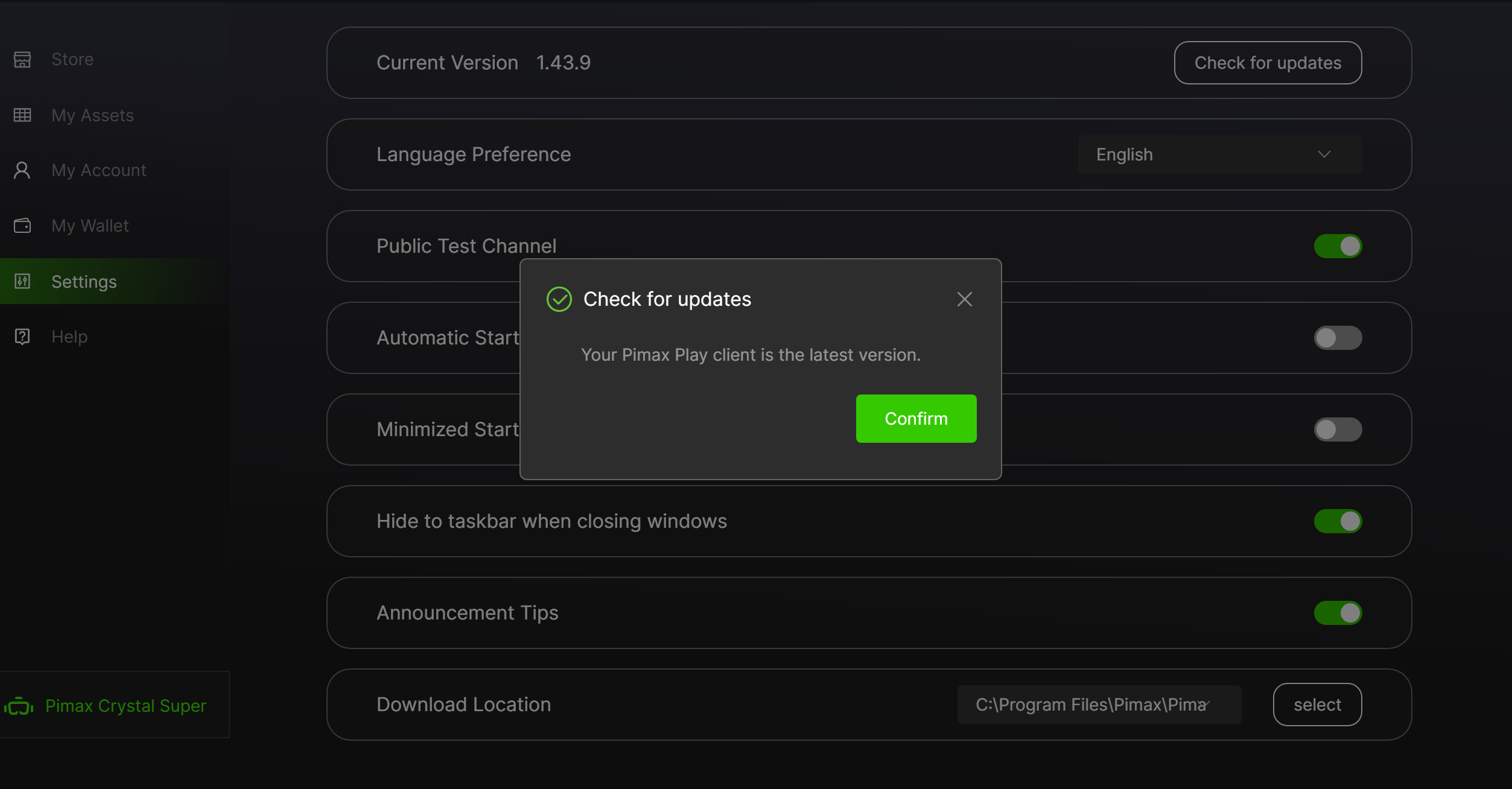
We’ve paused the beta rollout for now due to a few issues that need fixing.
The next patch is expected later this month, earliest by next week.
In the meantime, we recommend staying on version 1.43.9.
To name a few, Microsoft Flight Simulator pushes 25-30GB maxed out, Star Citizen was sitting around 34GB flat last time I checked r_displayinfo, Cyberpunk and Hogwarts Legacy are both around 20GB, and anything heavily modded can blow well past 30. Skyrim VR with mods I’ve personally seen hit 45GB, modded FF14 easily clears 30, even modded Minecraft can get there. Most modern AAA titles maxed out are sitting 20GB+ before mods even enter the picture.
Then add 8-10GB for the OS, another 4-8GB if you’ve got a browser open on a second monitor, and it stacks up fast. Most people don’t notice because systems are good at throttling performance or offloading to a page file but that’s not a solution, that’s just damage control. Relying on your page file while gaming will chew through your NVMe lifespan quickly, and if you’re running something like a T700 or T705 that’s an expensive problem.
As for measuring Pimax usage, I checked Task Manager, Resource Monitor and RAMMap with my Crystal running and SteamVR open, all of which are perfectly adequate for a current usage snapshot. Perfmon might tell a slightly different story when monitoring for spikes over time, but it’s not going to find a mysterious extra 7GB.
It sucks your having an issue, but as others have alluded to, it seems to be an isolated issue. As far as i can tell nobody else is reporting ram blow outs. I hope you figure out what’s going on and get it sorted. I’d be interested to know why yours is different.
That’s concerning, what are the issues specifically. Is there risk of damage? When you say “we recommend staying on version 1.43.9.“ Should people already on 2.0 be rolling back?
2 Likes
Hi, something’s not working correctly on your PC. To assert so confidently that 64GB of RAM is the current standard shows a lack of understanding of the reality for most PC users. You must belong to a group that doesn’t represent the majority of users and gamers at all. Not everyone has a top-of-the-line machine like yours and can play their favorite games perfectly. In fact, I can assure you from experience that in sim racing, there are those who beat much more powerful systems with modest setups. The RAM that does matter for gaming and VR is the graphics card RAM; in that case, the more the better. Cheers.
1 Like
There’s no risk of damage. We’re simply not pushing any updates to users even if the “Public Test Channel” is enabled; until we roll out the revised patch.
If they find that version 2.0 doesn’t provide satisfactory performance, they can always roll back to a previous version. It won’t cause any issues.
1 Like
The handtracking module is no longer working with the Super?
1 Like
Same here for me - using latest version of V2 Beta Pimax Play with Micro OLED and stuck at firmware 1.0.13
1 Like
When to try to reinstall 2.0 beta due to missing the Motion Smoothing on the Dream Air I received today and just finding the update was pulled. @PimaxQuorra Any chance we can get an .exe to manually update? 2.0 worked so much better for me in terms of performance, so this hurts.
1 Like
Indeed. If there is no real risk then why pause an “Open Beta” until the next patch? As the patch should install to the Beta that was in part rolled out.
After all @PimaxQuorra said you could roll back the version if not happy with performance
I know it might sound condescending but just some thoughts about “beta versions”…
May be a good idea to put the words “BETA VERSION” or change the colour of the background in PiPlay or something/somewhere prominent.
Perhaps we could have a “accept user agreement” as part of the install to commit to report errors/anomalies or else stay on current non-beta version before the user commits. Yes, I know the user “accepts” by clicking “OK/update” but perhaps there should be a “Change log” that is displayed before the user commits to “the pain” of the current known deficiencies/changes (or rules/ideas for reporting new ones) of the beta.
Yeah/Nah?
3 Likes
Please wait for the next patch to roll out.
Unfortunately, I can’t share the download link for the .exe file.
The next patch should be ready this week—the devs are currently conducting final checks.
I agree with this. I’ve already told the devs there’s no need to pause the beta rollout, since it’s clearly labeled as a beta version and users can roll back if they encounter any issues or poor performance.
It might be better to add a pop-up when users opt into the “Public Test Channel,” clearly stating that it’s a beta version and may have performance differences compared to the stable release, so users are aware in advance.
3 Likes
Bonjour,
Pourriez-vous nous indiquer la date prévue pour la mise à disposition de la version bêta 2.0 de Pimax Play ?
1 Like