Now Available: Pimax Play 2.0 Open Beta

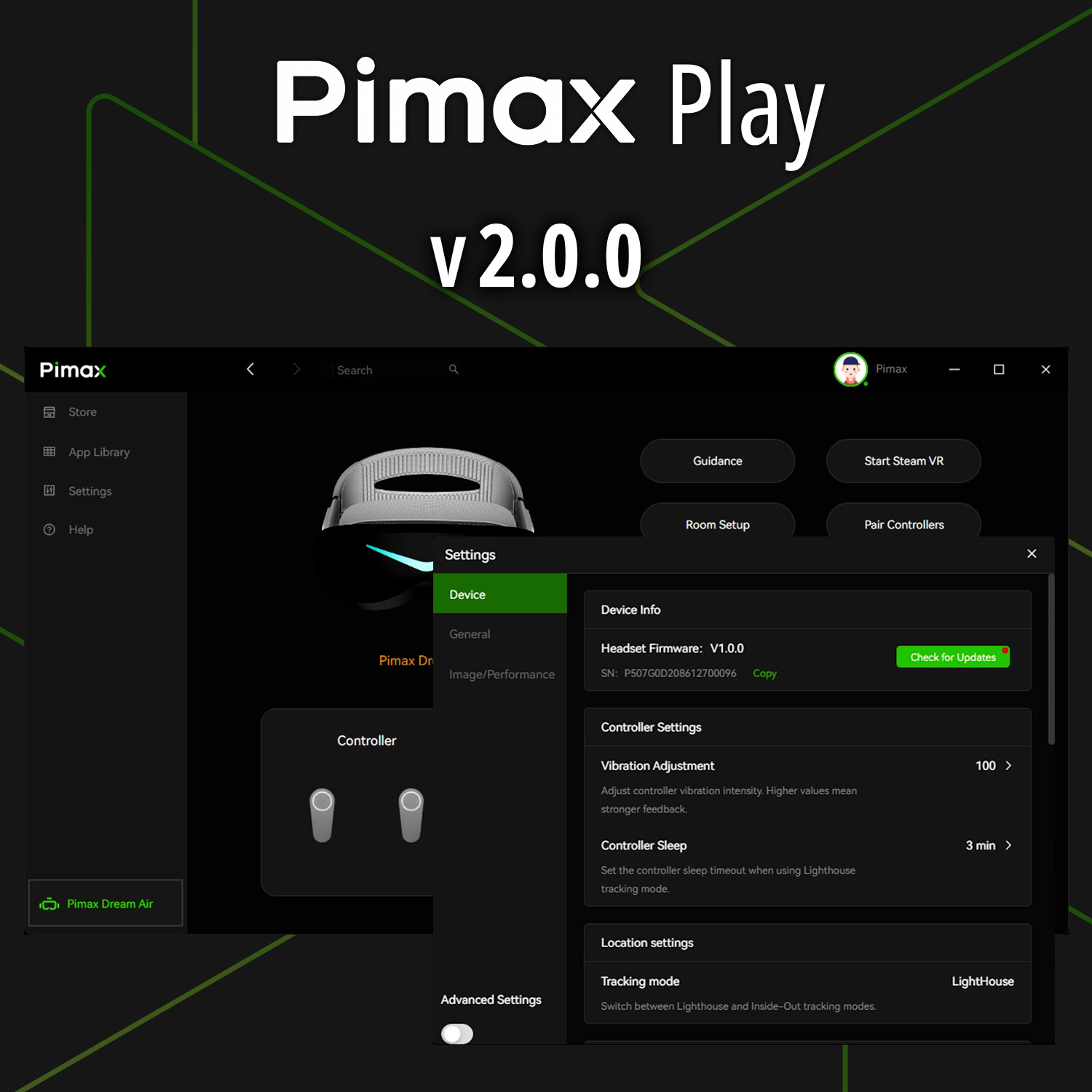
Pimax Play v2.0.0

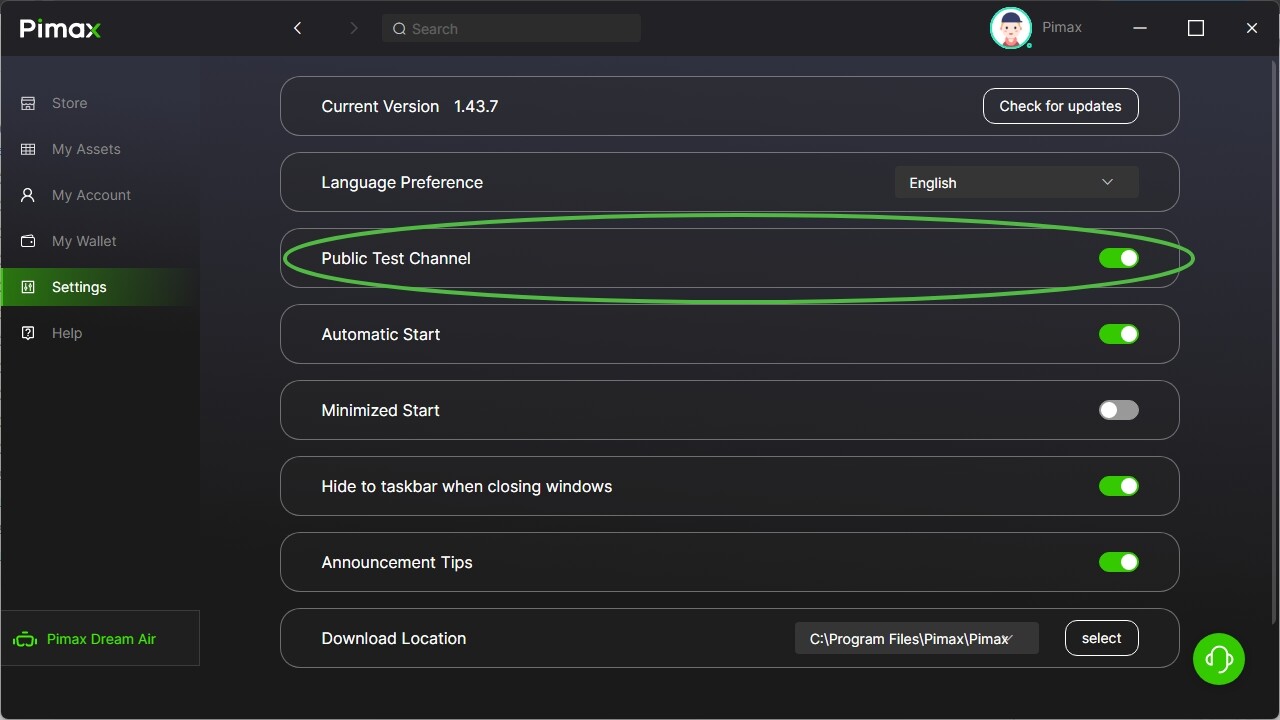
Opt into the Public Test Channel in Pimax Play to receive this update.

  1. New Features & Improvements
  • Updated client with a brand-new UI design, improving visuals, interaction, and overall navigation.
  • Introduced the new Pimax Home.
  • Added QR code login via Pimax App (requires v2.0.0 or later).
  • Added OpenXR API Layer support for easier management of third-party APIs.
  • Added headset re-binding feature, enabling users to bind to a different account.
  • Added ability to pin games in Library for quick access.
  • Added quick access to customer support.
  • Added SystemUI status indicators (Smart Smoothing, Foveated Rendering).
  • Added SystemUI curved mode.
  • Added controller sleep settings for Lighthouse tracking mode.
  • Improved tracking height anomaly handling.
  • Optimized the re-login flow.

  1. Bug Fixes
  • Fixed several known issues to improve overall system stability.

  1. Firmware Updates
  • Dream Air – Firmware v1.0.1

    • Improved video stream stability.
  • Crystal Light – Firmware v1.0.20

    • Improved video stream stability.
  • Crystal Super – Firmware v1.0.14

    • Improved video stream stability.
    • Added support for Crystal Super Lighthouse faceplate.

  1. Compatibility
  • Supports 5K Super, 8KX, Crystal series and Dream Air headsets.

  1. Rollout
  • This version will be rolled out to public beta users over the next two weeks.
4 Likes

Is it available for download somewhere already? And, must the existing Beta be uninstalled first?

If you have enabled the ‘Public Test Channel’ but have not received the update prompt, that is normal, as we gradually roll out access to users each day.

Have to install the stable v1.43.7

3 Likes

What is the point of a gradual rollout, its an open beta. Why not just provide the exe as has been done before?

So I have to revert to an older version and then hope I’m selected to get the update? Can’t you just give us a link?

since this is a beta version, wouldnt it make more since to be 2.0.2 instead of going from 2.0.1 to 2.0.0?

I don’t get why a download link isn’t being published so we can install it if we wish yeah?

That is closed beta, different patch.

IF you have UW, should you update to 2.0? Are there any profiles coming out for UW and Dream Air?

(post deleted by author)

2.0 installed and works, had an issue with windows defender being unhappy with a signature but after reverting to stable and trying again with pimax play running as administrator it worked.

However I am not able to update my OG Crystal to get the wifi airlink functionality. Still says my firmware is up to date at v1.3.0_au0531. I have signed up in the tally form in the closed beta thread, is there anything else I need to do or do I just have to wait?

Hello, I wanted to launch Assetto Corsa with OpenXR Toolkit, but it’s no longer working…

Also, the image quality on the Pimax home screen is terrible. It looks like eye tracking is enabled, but the result is a really ugly image.

The more time passes, the less I want to use my headset.

@PimaxQuorra does it include smart smoothing support for 8KX?

Make sure quadviews is switched off. OpenXR toolkit doesnt work with quadviews enabled, and it might also explain the graphics issue on the homescreen.

I’ll try that, thanks

This does not solve the problem.

What is all this?


I just tested the Pimax Play 2.0 Open Beta on UW and I got to say, THANK YOU, THANK YOU, THANK YOU PIMAX!! I think they solve the distortion profile? I feel that before (in fact yesterday I was playing with 1.43.7, still fresh in my mind), there is still this sense of discomfort in long session. When you look at any virtual object, there is this slight unnaturalness to it, it’s not bad but it is there and also hard to discern and I think that’s what cause discomfort in long session. But now with 2.0, it feels natural? I was in BigScreen 3 hrs straight watching videos…the visual of the video on screen, the theater environments (I feel I can just get up and walk out the theater physically?), the floating fpsVR tool and BigScreen menus in front of me…all feels more natural when staring at them? Am i tripping? It also still maintains the 136 degrees horizontal as well.

I also want to add that I like the shortcuts pin of the game library to the top. It’ll be even better if I can drag and sort the games in the order that I want OR make it so that the last pin item appear at the bottom of the pinned list, not at the top.

I don’t know about the NEW Pimax Home, it looks interesting though. Also, I like to recommend the following: On the Pimax Client, when a user move their mouse over to the controller icon, it’ll be nice if it shows battery life percentage? A quick peek?
2 Likes

Bumping this @PimaxQuorra as I don’t want to click the beta box if SS isn’t working on the 8KX.