Hi, pretty sure is a known issue, but i don’t see a proper theead here. Basically most of 8KX users can’t use nvidia drivers newer than 566 releases, because, using the newer ones, the 8KX start/initialization make the whole pc crash. Can Pimax staff please get in touch with NVIDIA staff for making this issue finally fixed? thank you in advance.
The latest update I received from the dev team is that there’s an error in the ntdll.dll file when the DP checks the connection with the headset. The dev team is currently investigating to identify the root cause.
Just to share a new “issue”, since the new Battlefield 6 needs at least the 576 drivers, we can’t use Pimax 8KX anymore if you play both Battlefield and VR, unless swap drivers everytime, which is crazy. Any news or temporary fix available? Please Pimax guys talk again with Nvidia crew. Thanks.
Update: did the test they asked in that topic, sent the stuff, got their response:
Thank you very much. I have filed a bug so that our QA team can try to reproduce this. I have included the crash dmp file in the bug so that our software team can diagnose it in the meantime.
I encourage all people to do this to help and get this issue fixed asap i hope.
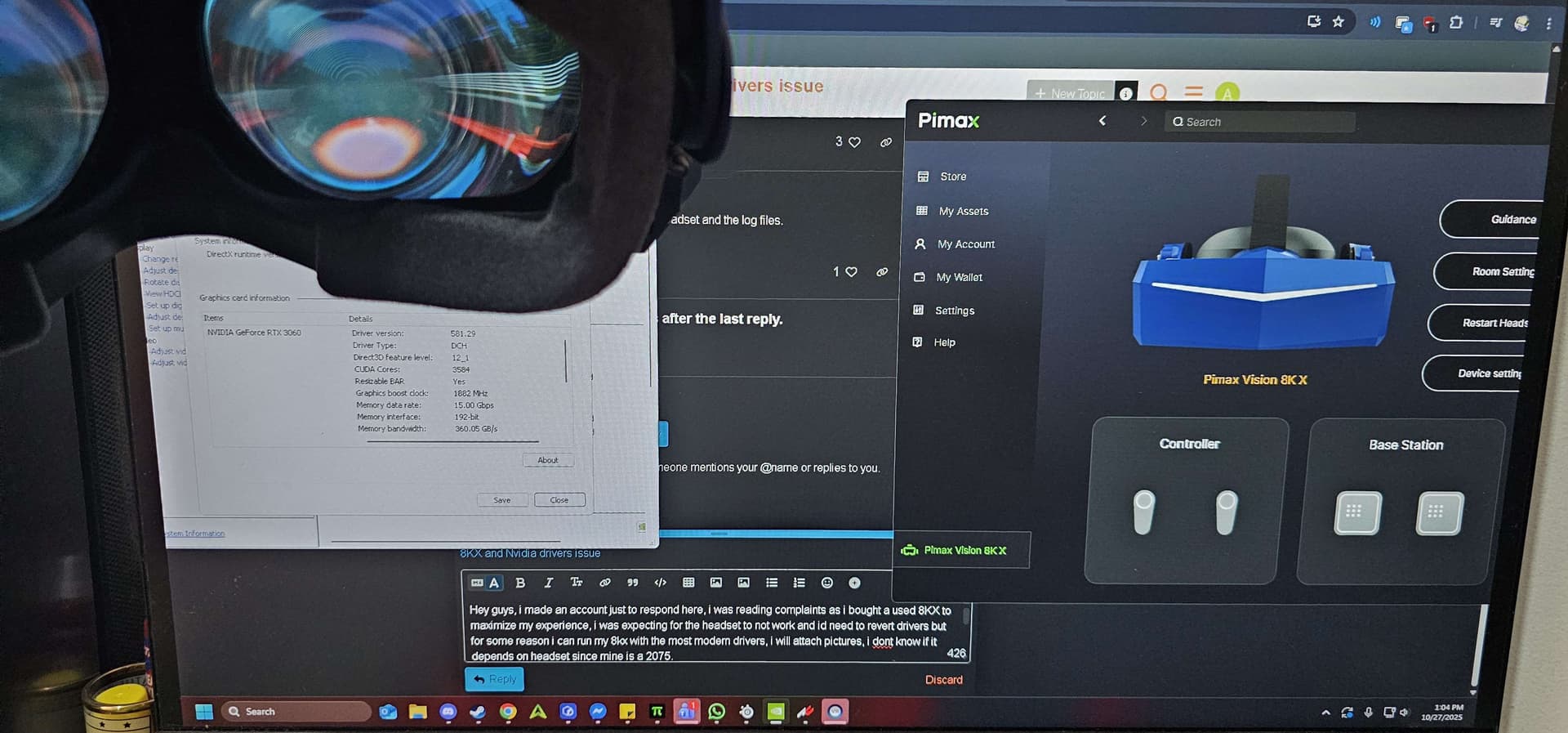
Hey guys, i made an account just to respond here, i was reading complaints to fix and maximize my experience when i finally bought a used 8KX, i was expecting for the headset to not work and id need to revert drivers but for some reason i can run my 8kx with the most modern drivers, i will attach pictures, i dont know if it depends on headset since mine is a 2075 serial or it having like 3 sunburn spots lol.
Only weird things i noticed was that when i plug in the headset i always have to disconnect the DP and plug it back in once till it works
Amazing well done @DieCola, great to finally have a response in the Nvidia forums, there’s another 5 in there which no one from Nvidia have commented on, mine included.
I’ll try and get a dump file sent to them this weekend.
Had a lot off issues with my 8KX and the latest NVIDIA drivers.
Until i did a fresh install of windows 11. and found out that turning off the “location services” in my windows settings was causing the issue in combination with the newer drivers.
When the windows location settings are turned on, pimax play detects the 8kx and works without any issue with the latest nividia drivers on my system.
Pimax 8KX 2076
Ryzen 5 9600
64 GB
RTX 5070 TI
Nvidia driver version 581.57
Just to say something about the crash: is it possible to fix, in some way, from the Pimax side? i’m not a sw programmer, just some thoughts about this issue. I would love to use my visor again, but since i’m playing newer games which need lastest nvidia drivers,i don’t want to switch back to older drivers for 2h or so. Is this issue only 8KX related or someone has issues even with Crystal visors? is it possible to change something in the wake-up process of the visor?
I’m so disappointed right now, it’s frustrating.
Are the newer GPUs affected to this? i mean 50xx cards.