Hi all,
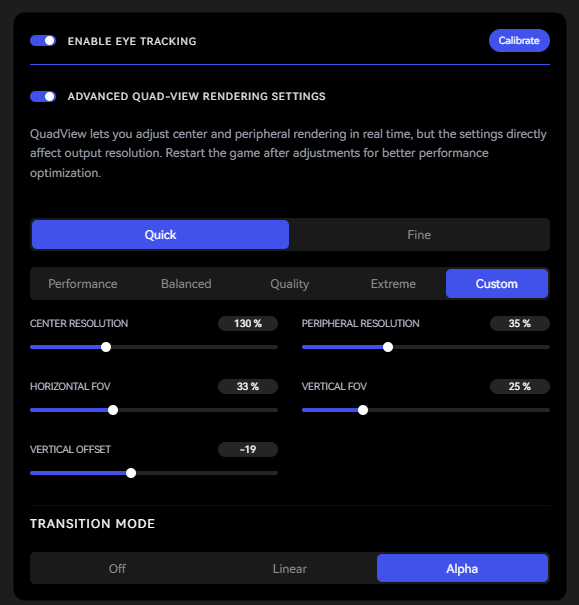
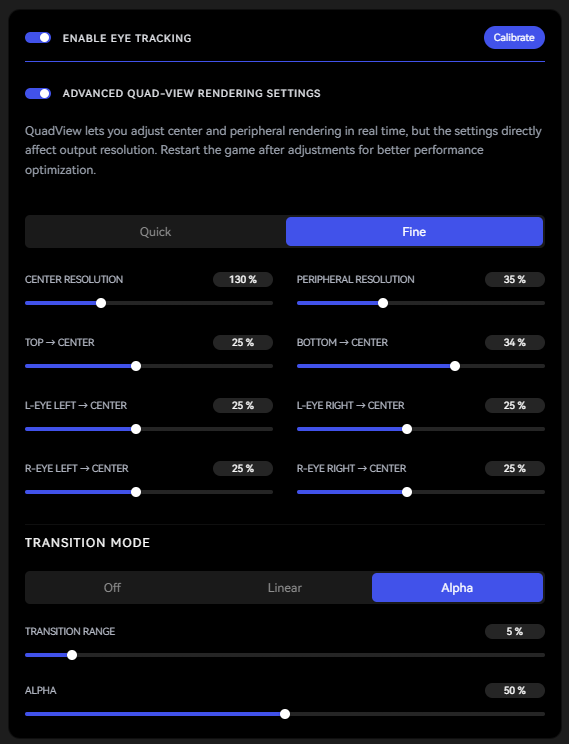
One of the things that makes Pimax special is the combination of performance and visual quality made possible by dynamic foveated rendering. However, tweaking the detailed settings is difficult without more specific documentation on what each field actually does. I’ve attached two screenshots (Fine mode and Quick mode with Custom preset) showing the settings I’m referring to.
Could someone point me to the latest documentation covering these fields in detail? A few specific questions in the meantime:
Preset values: When using one of the default presets (Performance, Balanced, Quality, Extreme), it would be helpful to be able to see what underlying values those map to in the Custom tab — right now switching presets doesn’t seem to reveal the actual numbers being applied.
Transition modes: Documentation on the Transition Mode options (Off, Linear, Alpha) and what Transition Range / Alpha actually control would be appreciated.
Supersampling pipeline: I assume setting Center Resolution above 100% is the same as supersampling (vs variable rate shader clustering for much of DFR). What’s the actual pipeline for how this interacts with the general render quality / resolution setting (e.g. the global render scale elsewhere in Pimax Play or SteamVR)? Are the two multiplicative/additive, or does Center Resolution operate independently on top of whatever the base render resolution is set to?
Thanks in advance for any pointers to docs or clarification on the above.