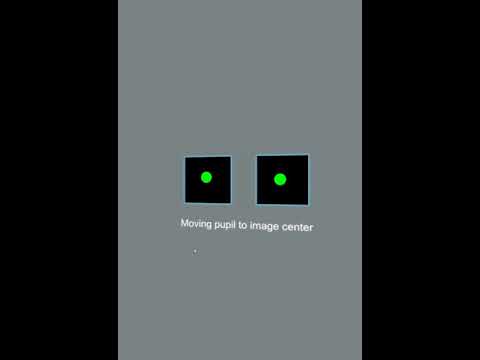
well, finally got round to installing eye tracking and needless to say i am in same boat as many here. ir leds dont light up that i can see. eye tracking shows up in device manager as drolon p1 , tried connecting it with each headset usb. calibration shows two green dots for a second and vanishes. Many thanks to XabbuSwe for trying to troubleshoot it for me on discord.
If the green ball disappears inside the two squares while drolon p1 is displayed, another unrelated program is using drolon p1.
Find it and turn it off.
I connected the drolon p1 as a video player as a test and it showed such symptoms.
If this is resolved, it will work as well as the video I recorded.
Eye tracking is a mess, but…
apparently if that is happening the leds light up, my leds are not lighting up.
some interesting info, on xabbus suggestion i replicated the above ‘problem’ by getting discord to use the ET as its camera. This resulted in no green preview video as would be expected for him. additionally the right side eye tracker light ring lit up, the left did not. (this is first time any of the tracking led’s have activated. ) The tracking ring would not turn off even when discord camera use was disabled. The lit tracking ring did not change outcome of a tracking test in pitool/ calibrator. only plugging out eye tracking would turn off the leds.
So how many have received the ET so far, and how many of those were able to get it to (1) work, and (2) function properly with dynamic foveated rendering ?
By the way - is there any information whether the ET is supposed to improve the distortion profile ? It would be very interesting to me because I suffer from some convergence issues, as I have mentioned in more detail in other posts.
There is no information whatsoever. They just sent out the modules and released a new Pitool. For most it did not work at all and if you get it to work it leaves you puzzled with what to do with it or how to use it. There is no documentation, benchmarks, testing tool - or any sort of information about it. It’s Pimax communications at its best once again.
They’re the first company worldwide to bring eyetracking to the gaming consumer and yet again they completely blew it to make something out of it.
what the hell is that?
Is it not possible to change the language of the installation to english.
I have no patience to solve problems with Pimax in the forum. I think I will switch to HP Reverb G2 now.