Pimax’s community member SimVRRacing has released DesktopXR, a specialized API layer designed for users who need access to their Windows desktop without the heavy performance cost of traditional overlay software.
Watch the official launch trailer:
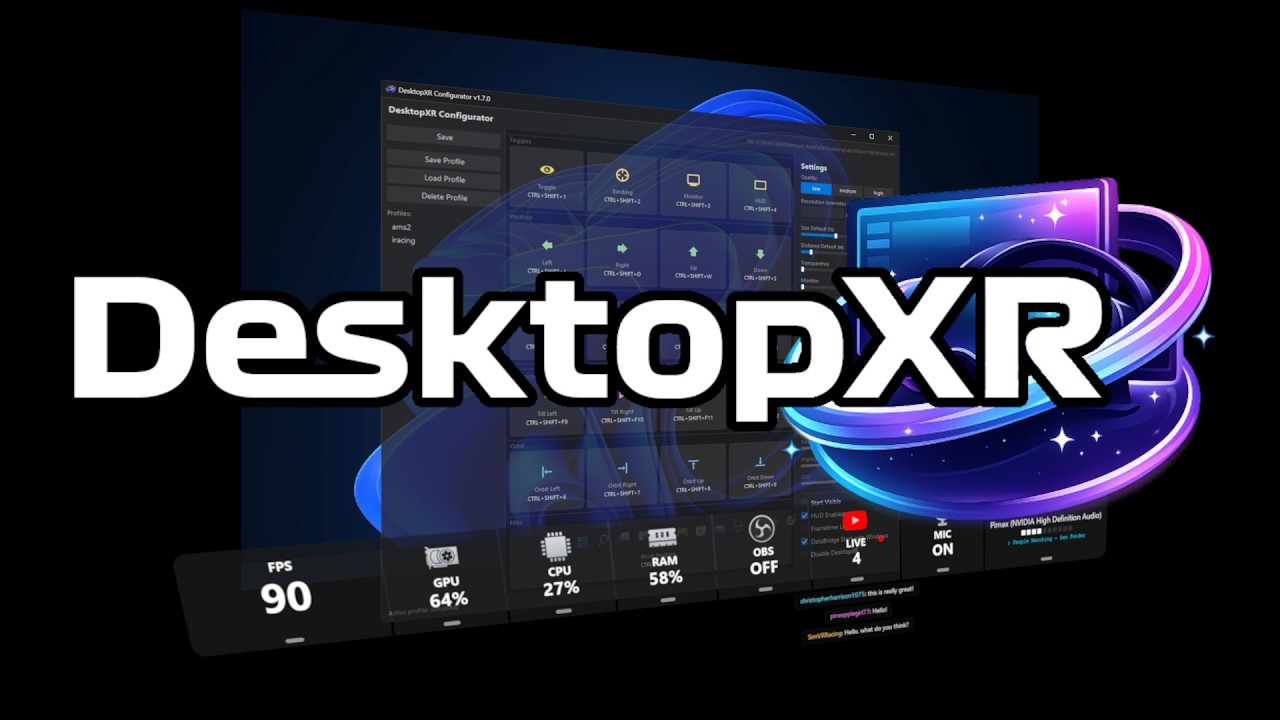
Key Features
-
Native OpenXR API Layer: Runs directly within the OpenXR pipeline—no SteamVR required.
-
Minimal Performance Overhead: Uses GPU rendering to ensure your system resources remain focused on your game or simulator.
-
High-Resolution Mirroring: Supports desktop rendering at 1080p, 1440p, and 4K (2160p), including native support for Ultra-wide monitors.
-
Customizable FOV Culling: Includes a “Helmet Effect” (FOV cropping) that can significantly boost FPS by reducing the rendered area in your periphery.
-
Flexible Pinning: Hot-swap your desktop between head-locked (HMD) and world-locked (VR Space) modes, with full positioning support including tilt adjustment for precise placement in VR.
-
Multi-Monitor Support: Easily switch between different physical monitors within the VR environment.
-
Heads-up-Display: A separate heads-up display provides a range of real-time system performance metrics, with built-in OBS and YouTube Live integration for content creators who want to monitor and manage their stream directly in VR.
-
VisionCore Processing: Integrated image processing applies directly to the game view, with adjustable brightness, contrast, and saturation to enhance visual clarity and in-headset presentation without affecting the desktop overlay.
Simple Setup
DesktopXR is designed for ease of use. It features a simple MSI installer that automatically registers the API layer with your system. Once installed, you can toggle the overlay and switch monitors using customizable hotkeys.
You can download the latest version, view the source code, or check the full documentation at the links below:
-
GitHub Repository: glenimp617/DesktopXR
-
Community Discussion: Official Reddit Thread
A Note of Thanks
We want to extend a huge thank you to SimVRRacing for developing this tool! Please see his channel and reach out to provide feedback on using this tool.