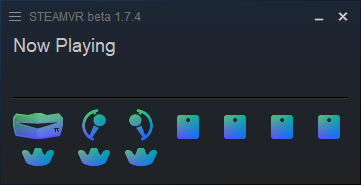
Here is Custom Sword Controller Icon.pack for SteamVR to go with Genesis’ Pimax hmd or used standalone.
https://www.reddit.com/r/Pimax/comments/ycwbl7/custom_sword_controllers_icon_pack_for_steamvr/?utm_source=share&utm_medium=android_app&utm_name=androidcss&utm_term=1&utm_content=share_button
Copy of Post Below by TeH_Venom
So The pimax swords icons looked like crap, it was green, both sides were the right controller & for some reason pimax forgot to make some of the icons transparent lol,

So i made an icon pack for SteamVR that fixes some stuff, but in purple/blue instead of the traditional color pallete, I will make a new pack when i have some more time in the traditional Valve Index color gradient
This fixes the transparency on some of the icons, recolors all of them from the green to a gradient & displays Left / Right controller icons correctly instead of just righthand icons
Preview of the new icons

Also available within the folder named “rendermodels” is a recolor for the 3D render models, from gray to a deep blue.
Here’s how it looks like: Left - New / Right - Old

Here’s the link to download these replacers,
Just extract the contents of ‘Swords_iconFix_Purple.rar’ into the following path & replace the existing files (Make sure to create a backup copy if you ever decide to undo these changes):
‘C:\Program Files\Pimax\SteamVRSupport\drivers\aapvr’
Restart SteamVR to apply the changes.
The controllers + icons should display the new ones. The HMD icon is not included, but is available in this OpenMR post by Genesis
@PimaxQuorra & @hammerhead_gal you might want to discuss with Team and this user about including and using these Sword Controller icons for SteamVR